2 min read
It Doesn't Work on My Machine
- #debugging
- #support
- #web
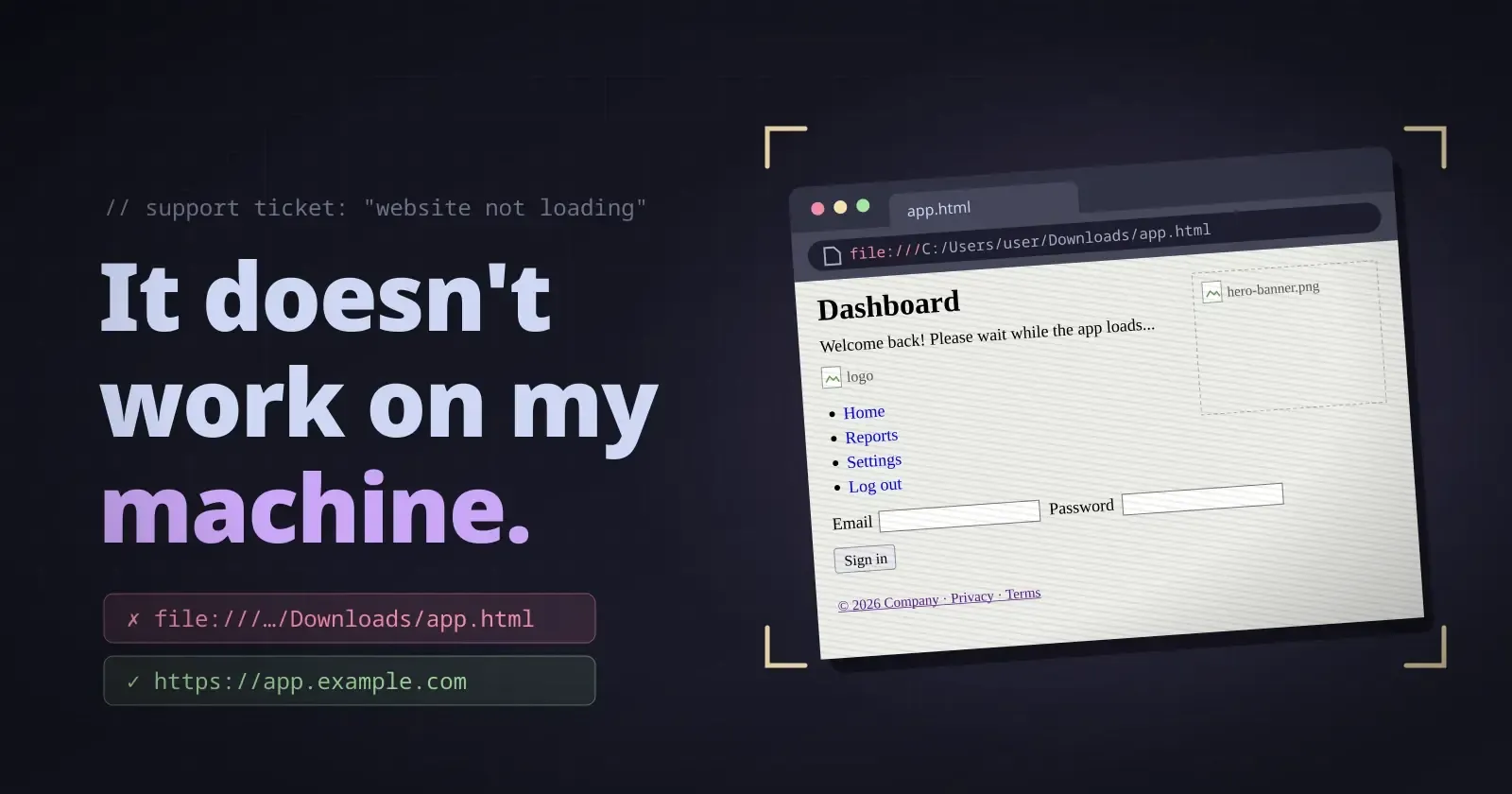
Sometimes, a support request can take you in a completely unexpected direction.
We have a web app with a lot of users, and one day, one of them reported that the website wasn’t loading properly on their system.
They sent me a photo of the issue.
And by “photo,” I mean an actual photo taken with a smartphone camera of their computer screen — not a screenshot.
From the photo, I initially thought it might be a CSS loading issue. Browsers can occasionally fail to load some resources properly, so I asked them to refresh the page and make sure they had a stable network connection.
Then they told me something interesting.
When they clicked the link we had shared, the website worked. But when they clicked on a file, it didn’t work properly.
I was confused.
“File? What file? I don’t remember sharing any file.”
So I asked them about it.
That’s when I found out they were actually clicking on an HTML file.
I wondered where that file had come from, and then it finally made sense.
In a browser, if you’re on a website and press Ctrl + S, the browser can save the current webpage locally as an HTML file, along with some of the resources used by the page.
Apparently, they had saved the webpage at some point and had been trying to open that saved HTML file whenever they wanted to access the website.
That explained the whole issue.
They weren’t actually opening our web app from the internet. They were opening a locally saved copy of the webpage.
I explained that they should always open the website using the link we had shared. To make things easier, I also helped them create a shortcut to the website from the taskbar, so they could access the actual website directly.
What made this interesting from a debugging perspective was that, without that additional information, I could easily have spent a lot of time looking for a bug that didn’t actually exist.
I could have checked the CSS, gone through the code, checked the server, tried to reproduce the issue on my system, and wondered why everything was working normally.
The important detail wasn’t in the code at all.
It was how the user was opening the website.
It’s also a good reminder that not everyone interacts with technology in the same way. Something that seems obvious to us as developers may not be obvious to someone who doesn’t work with technology every day.
And that’s completely fine.
For me, the biggest takeaway from this wasn’t really about the HTML file. It was about debugging and communication.
Sometimes, before looking at the code, you need to understand exactly what the user did to get to the problem.
A simple question like:
“Can you show me exactly how you’re opening the website?”
can sometimes save a lot of unnecessary debugging.