Started Updated
QR
Make and scan QR codes for free, with no login, no watermarks and no expiry.
- Astro
- React
- Tailwind CSS
- qr-code-styling
- ZXing
- Cloudflare Workers
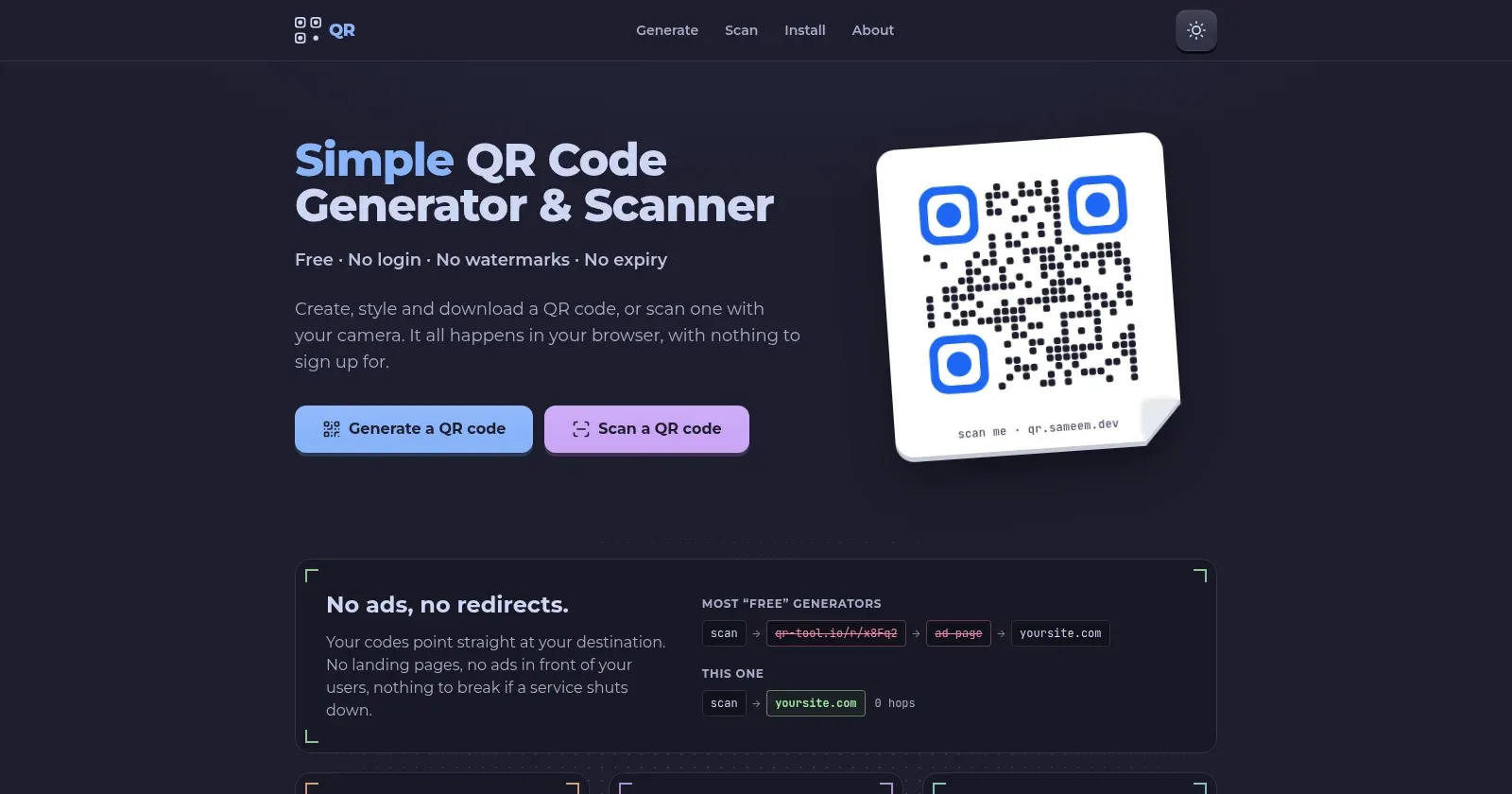
It started with an ad
I went to an event and scanned a QR code. It worked, but it didn’t take me straight to the page. First it sent me to the website where the code had been made, showed me an ad, and only then let me through.
I understand why. It’s a free service and it has to make money somehow. But scanning a QR code should be one simple step, and that ad was standing in the middle of it.
Making a code wasn’t much better. Most QR generators let you design the whole thing and then ask for an account before you can download it. You’ve already done the work, and now you have to hand over your email to keep it.
So I built the opposite: a QR tool with no login, no ads and no limits.
The home page puts that difference first. It shows a scan on most “free” generators going through their own short link and an ad page before it reaches your site, next to a scan here, which goes straight there. The same comparison is on the preview image you see when you share a link to the site.
What it does
There are two tools, and both run entirely in your browser.
Generate. Pick what the code is for: a link, plain text, Wi-Fi, a contact, an email or a phone number. You fill in the fields, the right format is built for you, and the code updates as you type. If you paste a link without https://, it’s added for you, so the code opens in a browser instead of showing up as plain text.
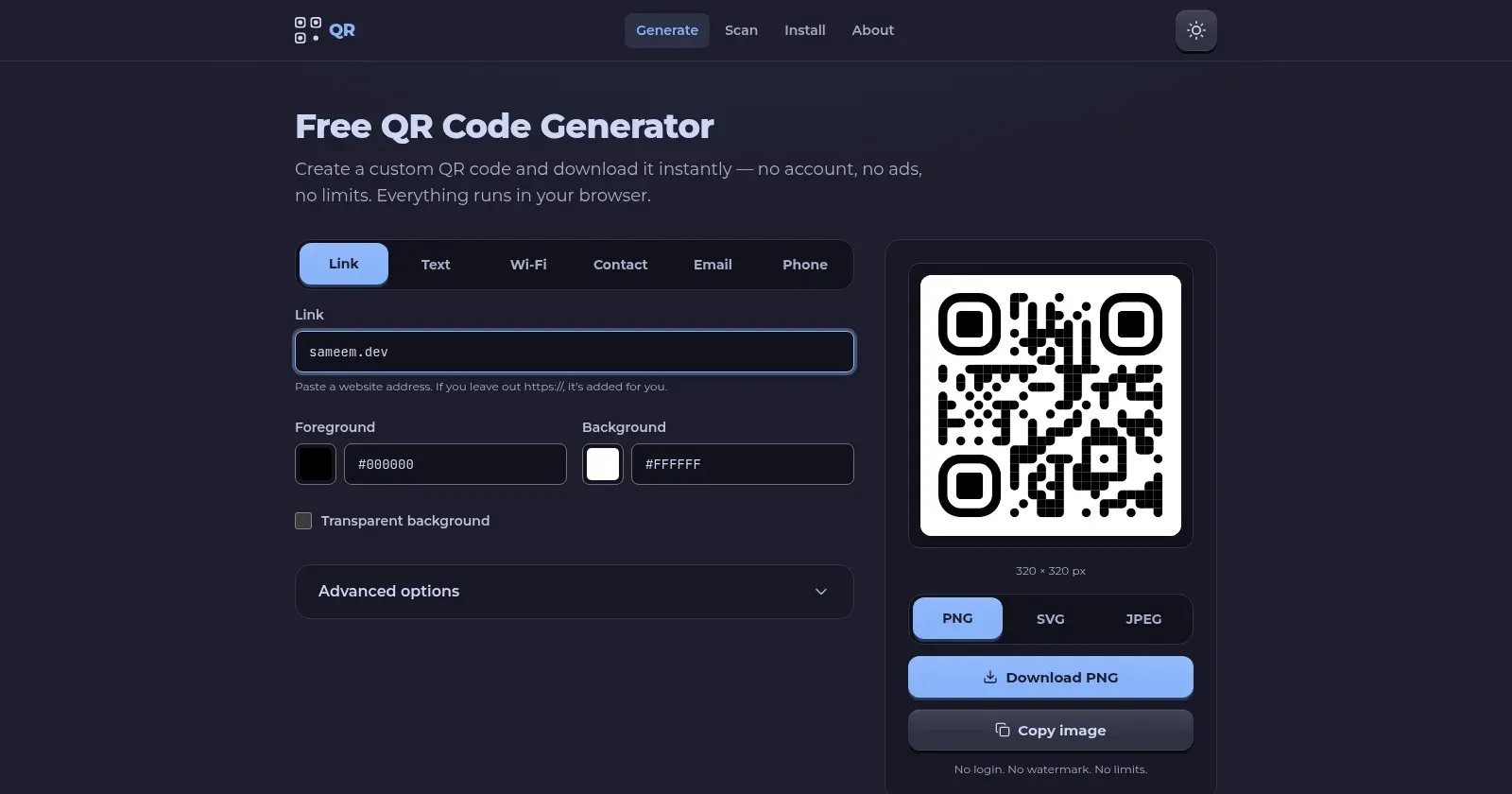
You can then make it your own:
- Change the colours, or use a transparent background.
- Pick the style of the dots and the corners.
- Add a logo in the middle, and set its size and how round it is.
- Download it as PNG, SVG or JPEG, up to 2048 pixels, or copy it to the clipboard.
There are no watermarks. The code holds your link directly, so it never expires and it never passes through my site.
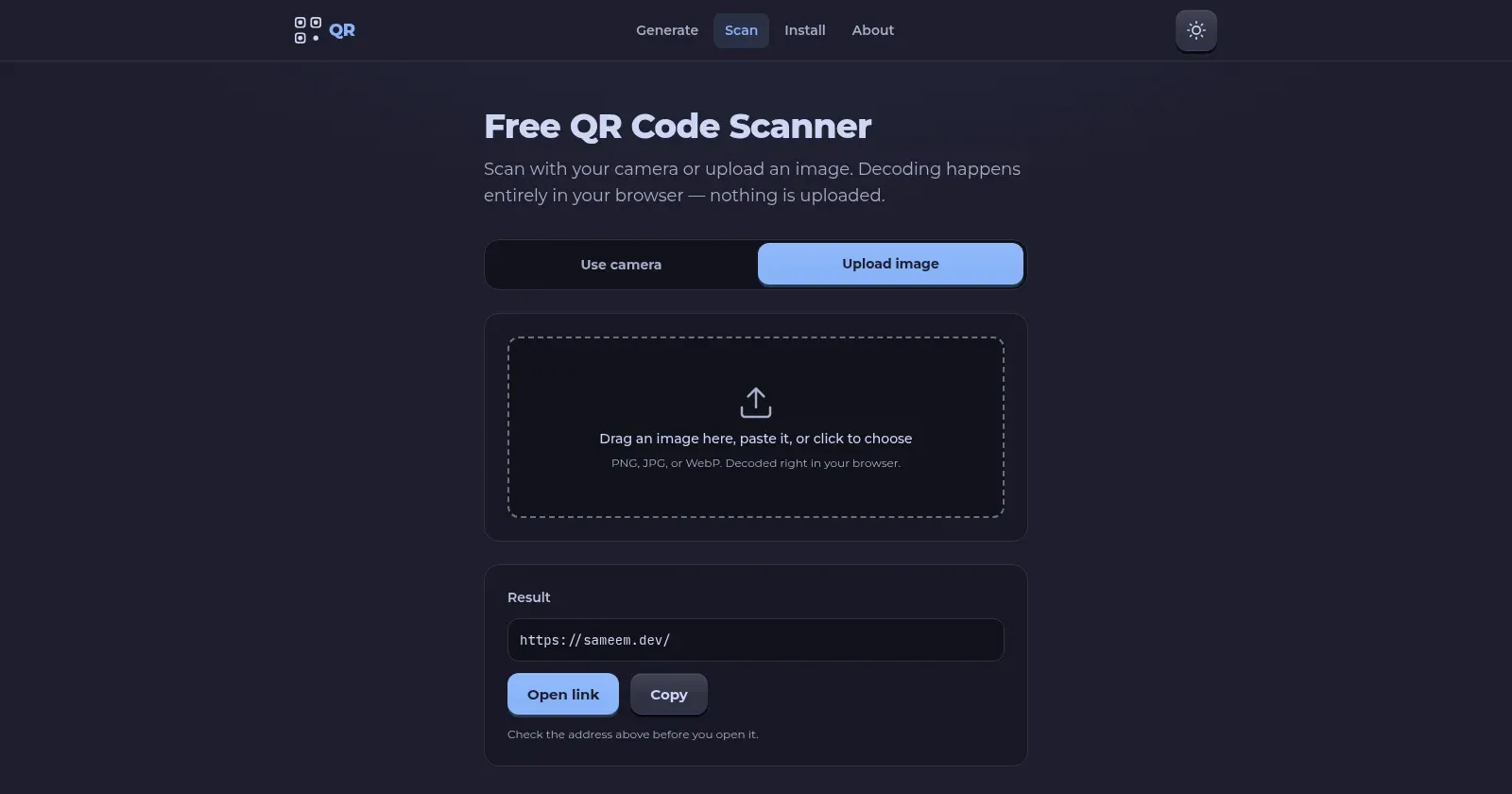
Scan. Point your camera at a code, or give it an image by uploading, dragging or pasting. If the code is a link, a Wi-Fi network, a contact, an email or a phone number, you get a matching action for it.
Nothing leaves your browser
There is no backend and no database. Making a code and reading one both happen on your device, so nothing you type or scan is uploaded anywhere.
That’s good for privacy, and it’s also what keeps the tool free. With no server doing the work, it costs me almost nothing to run, so I never need ads to pay for it.
The generator uses qr-code-styling (opens in a new tab) and the scanner uses ZXing (opens in a new tab). The site itself is built with Astro (opens in a new tab), with React for the two tools, and is hosted as static files on Cloudflare.
The blank SVG
The bug I remember most was the SVG download. The preview looked right, and PNG and JPEG were fine, but the downloaded SVG showed up blank in my file manager.
My first guess was wrong. The real cause was how the library draws a code: it fills a rectangle and then clips it to the shape of the dots. Browsers handle that. Many simpler SVG viewers don’t, including the one KDE uses for thumbnails, so they showed nothing at all.
The fix was to stop relying on clipping. Before the download, the SVG is rewritten so every dot is a plain filled shape. It now opens everywhere, and the files came out 25 to 45% smaller as a bonus.
Making the scanner read real photos
The first scanner made one attempt at reading an uploaded image. That was fine for a clean screenshot, but it failed on a lot of real photos: a small code in a big picture, a code shot at an angle, and especially light codes on a dark background.
Now it tries harder. It first asks the browser’s own barcode reader, where there is one. If that doesn’t find anything, it goes back to ZXing and retries the image at several sizes, and once more with the colours inverted. The light-on-dark codes that used to fail now scan.
A new name and a simpler plan
It started in February 2026 as AppQR.org, with its own domain and a long plan that included paid features later on.
By August I had dropped both. It moved to qr.sameem.dev, next to my other projects, and the plan for paid features went away. What you see is the whole thing, and there is nothing to upgrade to.
The look changed too. In September I gave it a tactile, 3D style with buttons that looked like you could press them. In November I flattened most of it again, because the simpler version was easier to read.
The logo changed in November as well. The old one was a whole QR code, which turned into noise at favicon size. The new one is just the three corner squares and a dot. It also does the loading animation: its circles pulse while the tools load, and a line sweeps across it while an uploaded image is read. It now has an icon for every browser and size, from the 16-pixel tab icon to the Windows tile.
Install it as an app
In November I made the site work offline. After your first visit it’s saved on your device, so you can make and scan codes with no connection.
That also means you can install it like an app. It’s about 1 MB and needs no app store. The Install page gives you a one-click button where the browser supports it, and plain steps for every device where it doesn’t. Firefox took the most work, because it installs sites differently on Windows, Linux and Android.
Open source, soon
The code isn’t public yet. I plan to open source it, and I’m tidying up a few things first.
Timeline
- Feb 2026: the idea, the first repository and a plan, under the name AppQR.org.
- Jul 2026: first version, with the generator, the scanner, the SVG fix and the more robust image scanning.
- Aug 2026: logo size and roundness controls, and the move to
qr.sameem.dev. - Sep 2026: the 3D redesign.
- Nov 2026: drag and drop in the scanner, Wi-Fi, contact, email and phone codes, scan actions, transparent backgrounds, camera switching, a flatter design, offline support, the Install page, a separate Link type, a new logo, a home page that shows the redirect problem with a live demo, and a new link preview image.